A phone screen is a laminated stack of cover glass, touch digitizer and display panel (LCD or OLED), replaced as one assembly. Replacement screens come in grades: original (service pack or OEM pull), aftermarket soft OLED, aftermarket hard OLED, and LCD-based incell. Each step down costs less and moves further from the original in thickness, contrast and fit. Screens are sold by exact model, so find the model number before you order.
What layers make up a screen?
- Cover glass: the part that cracks.
- Touch layer (digitizer): senses fingers.
- Display panel: LCD with a backlight, or self-lit OLED.
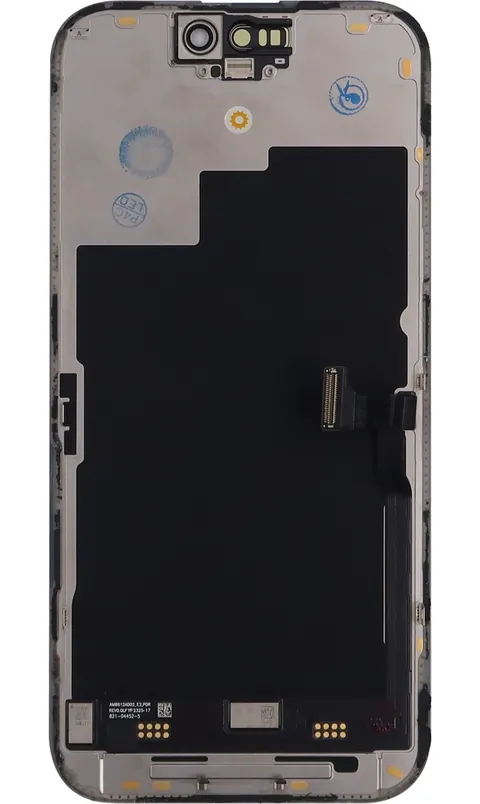
- Flex cables: connect display and touch to the board.
Because the layers are laminated, a cracked cover glass usually means replacing the whole assembly at a shop.
How do LCD and OLED differ?
| LCD | OLED | |
|---|---|---|
| Light source | Backlight behind the panel | Each pixel emits light |
| Blacks | Dark grey | True black |
| Thickness | Thicker | Thinner |
| Under-display fingerprint | Generally not supported | Supported on phones designed for it |
| Cost | Lower | Higher |
How do the replacement grades compare?
Parts listings use a handful of grade names. They describe where the panel comes from and what technology it uses, not a quality score set by any manufacturer.
| Grade | Panel | Where it comes from | What to expect |
|---|---|---|---|
| Service pack | Original | New original part in the manufacturer's service packaging; the term is common with Samsung | Matches the phone as built |
| OEM pull | Original | Removed from another device and tested for reuse | Original panel; condition depends on the source device and testing |
| Soft OLED | Aftermarket OLED, flexible substrate | Third-party manufacture, mostly for iPhone | True blacks; closest aftermarket match to the original build |
| Hard OLED | Aftermarket OLED, rigid substrate | Third-party manufacture, mostly for iPhone | True blacks at a lower price; less close to the original build than soft OLED |
| Incell / LCD | LCD with touch built into the display layer | Third-party manufacture | Lowest cost; on phones that shipped with OLED, a thicker build and grey blacks |
Catalogs usually sort these by brand and model, for example iPhone screens and Samsung aftermarket OLED screens. A category page does not confirm the grade, compatibility or stock of a specific listing; check the listing itself.
How can you tell which grade you received?
- Read the listing and the label. The grade name on the order should match the grade on the packaging.
- Do the dark-room test before sealing the phone. Show a fully black image at full brightness in a dark room. An LCD or incell screen glows faintly grey because its backlight stays on. An OLED screen stays black.
- Compare it with the old screen. Before final assembly, check thickness, flex position and how the panel sits in the frame.
- Test the functions that depend on the screen. Touch across every edge, auto-brightness, color and True Tone where present, and the screen turning off during a call.
- On iPhone, check Parts and Service History. See the next section.
Does a replaced iPhone screen show a message?
Yes, on iPhone 11 and later, excluding iPhone SE (2nd and 3rd generation), with iOS 15.2 or later. After a repair, Settings, General, About shows a Parts and Service History section. It lists the display as Genuine (genuine Apple parts and processes), Unknown (for example a non-genuine part) or Used (an original part previously installed in another iPhone; this label appears on iPhone 15 and later with iOS 18 or later). On iOS 15.1 or earlier, an "Important Display Message" appears instead of Unknown.
Apple lists what can go wrong with a non-genuine iPhone display:
- Touch: parts of the screen may not respond, touches may be missed or land in the wrong place, and palm or edge touches may register.
- Calls: touches may register during a call, and the display may not turn off.
- Brightness and color: True Tone may not work correctly, auto-brightness may misbehave, color may look too yellow or too blue, brightness may be uneven or lower at maximum.
- Battery: the battery may drain unintentionally.
These are possibilities Apple describes, not results every aftermarket screen will show. They are the checks worth running before a phone goes back to its owner.
Why do some screens come with a frame?
A screen pre-installed in a new frame avoids separating a glued panel from the old frame. That step risks cracking the new screen and takes time. The part costs more but saves labor.
How do screens fail?
- Cracked glass: the most common fault. The display often still works, but the crack spreads and can cut fingers.
- Lines, spots or a black image: damage to the display panel itself, usually after a drop or pressure. Lines, flicker and a green tint can also come from software, a setting or a charger: see what to rule out for lines and flicker.
- Dead or erratic touch: a damaged digitizer or flex cable. Rule out the protector, charger, settings and apps first: see what to check when touch stops working.
All three are usually fixed by replacing the assembly. If a new screen shows the same fault, the problem may be the flex connector or the logic board instead.
Frequently asked questions
Can you replace only the cracked glass?
Specialist refurbishers separate glass from the display with dedicated machines. For most shops and owners, the whole assembly is replaced.
Is a soft OLED screen the same as the original?
No. Soft OLED is an aftermarket OLED panel. It is closer to the original build than hard OLED because it uses a flexible substrate, but it is not an original part.
Why does my new screen glow grey in a dark room?
LCD and incell screens are lit by a backlight that stays on, so black areas show a faint glow. An OLED screen switches black pixels off. A grey glow on a phone that shipped with OLED means an LCD-based screen was fitted.
Where does an iPhone show that its display was replaced?
On iPhone 11 and later, excluding iPhone SE (2nd and 3rd generation), go to Settings, General, About. After a repair, Parts and Service History lists the display as Genuine, Unknown or, on some models, Used.
Related guides
Sources
- Apple Support: About iPhone parts and service history (published October 22, 2026)
- Apple Support: About genuine iPhone displays (published October 22, 2026)
Sources checked November 7, 2026. Prices, stock and program terms change; confirm them on the linked pages.